
Apple's Worldwide Developers Conference 2026 just dropped, and it was one of the most significant keynotes the company has delivered in years. From a completely rebuilt Siri to sweeping updates across every operating system Apple makes, WWDC 2026 set the tone for what's coming to your iPhone, iPad, Mac, and Apple Watch this fall.
There was also a historic moment layered into the event - this was Tim Cook's final WWDC as Apple CEO, delivering a genuinely emotional closing note before he hands the reins to hardware chief John Ternus on September 1, 2026.
Whether you watched the livestream or are catching up now, here's your complete, no-fluff breakdown of everything announced at WWDC 2026.
☰Table of Contents |
WWDC 2026 at a Glance
Apple's 37th annual Worldwide Developers Conference kicked off on Monday, June 8, 2026, at Apple Park in Cupertino, California, with a hybrid in-person and online format. The conference runs through June 12.
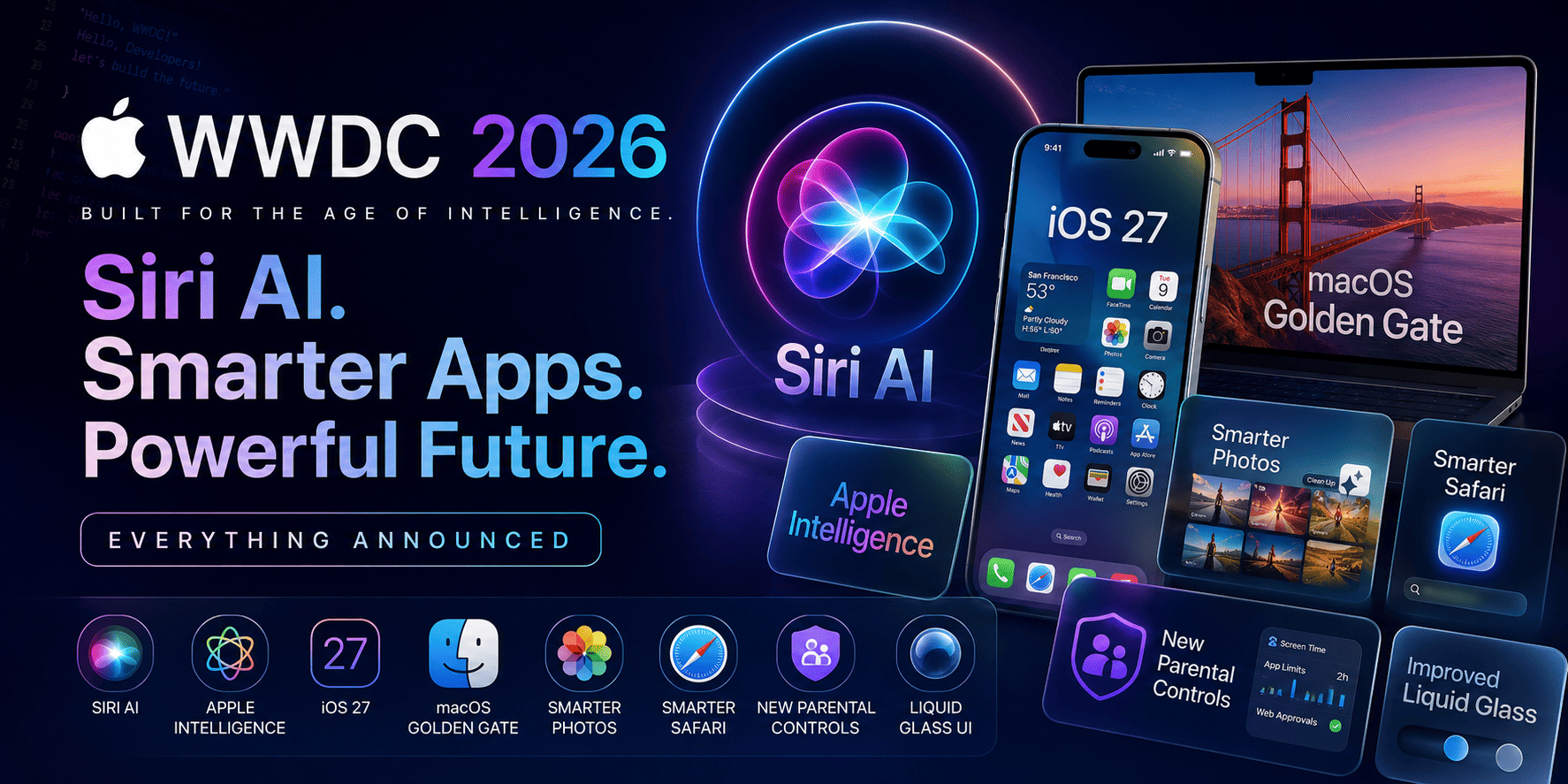
Here's what was announced at a high level:
Siri AI - a completely rebuilt version of Siri powered in part by Google's Gemini models
iOS 27 - major performance upgrades, Liquid Glass refinements, and full AI integration
macOS 27 "Golden Gate" - Apple's next Mac operating system, named after the iconic San Francisco strait
iPadOS 27, watchOS 27, visionOS 27, and tvOS 27 - sweeping updates across every Apple platform
Next-generation Apple Intelligence - smarter, more personal AI woven throughout the OS
New parental controls - mandatory child accounts, improved Screen Time, and content filtering
Liquid Glass improvements - an opacity slider and redesigned app icons
The event's official tagline: "All Systems Glow." A clear nod to Siri's long-overdue AI glow-up.
Siri AI: Apple's Biggest Announcement
Let's start with what dominated the entire keynote.
Apple mentioned Siri over 100 times during the presentation - and for good reason. Siri AI is not a feature update. It is a complete rebuild of Apple's voice assistant from the ground up, and it's the company's most serious answer yet to ChatGPT, Google Gemini, and Alexa.
What Makes Siri AI Different?
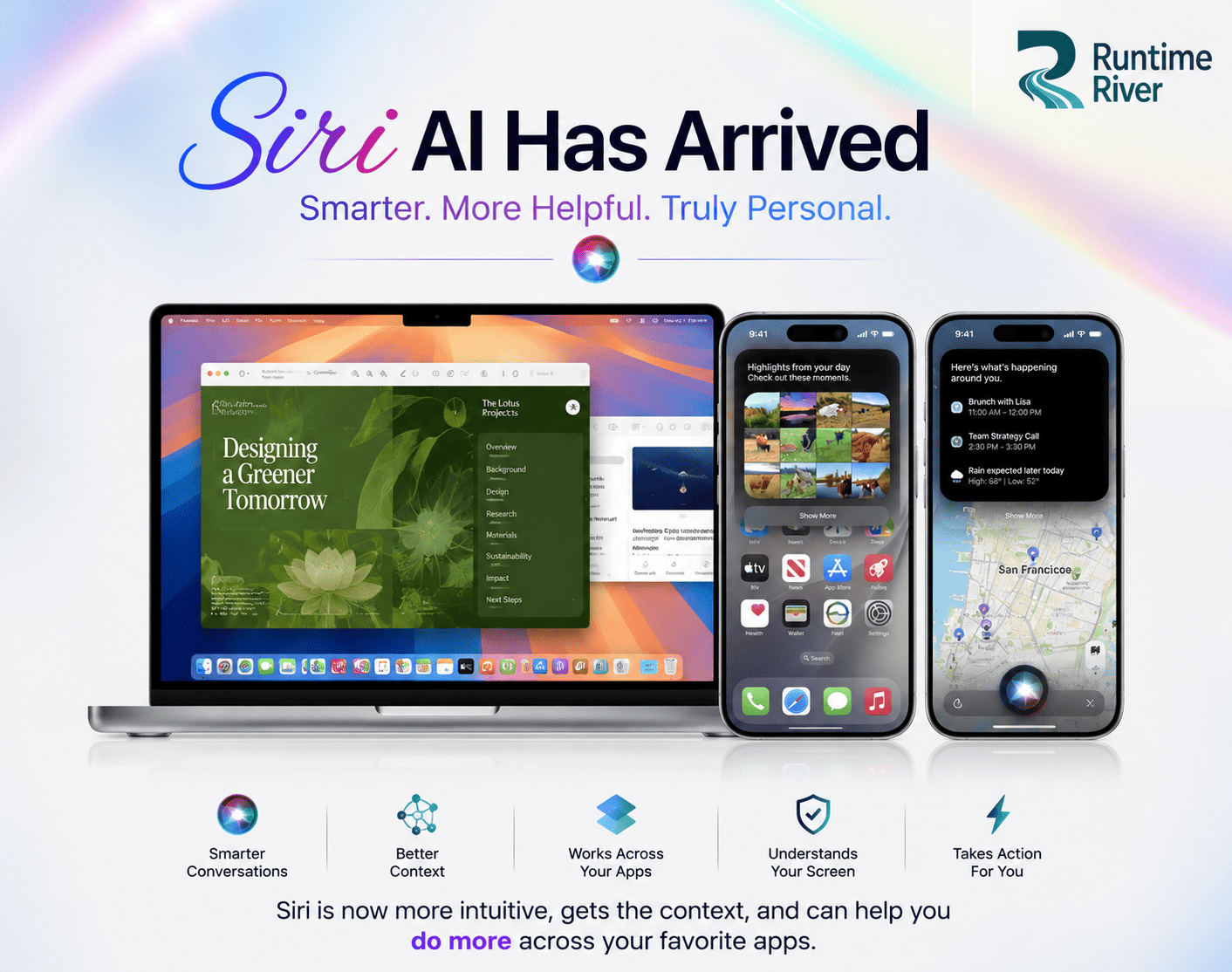
The new Siri AI is powered in part by Google's Gemini models, which is a significant and surprising partnership. It now functions more like a conversational AI chatbot than a traditional voice assistant.
Key capabilities of Siri AI include:
On-Screen Awareness - Siri AI can read and understand whatever is on your screen in real time. If you're looking at a restaurant menu, a document, or a photo, Siri can answer questions about it without you needing to explain the context.
Personal Context Understanding - Siri AI searches across your messages, emails, photos, calendar events, and notes to understand your personal context and take action. You can ask it to "find the hotel confirmation from last week" or "remind me about what Sarah mentioned in our chat."
Dedicated Siri App - For the first time, Siri gets its own standalone app. You can revisit past conversations, start new ones, and your conversation history syncs privately across all your devices via iCloud.
Systemwide App Actions - Siri AI can perform tasks across multiple apps in one go. Summarize an email, create a calendar event from it, and send a reply - without touching your screen.
Web Knowledge - When Siri doesn't have the answer locally, it goes out to the web to find up-to-date information and generates a direct, helpful answer instead of handing you off to a browser.
Siri Mode in Camera - Point your camera at anything - food, a landmark, an object - and Siri AI activates Visual Intelligence, giving you instant information, nutritional data, and the ability to ask follow-up questions.
Where Is Siri AI Available?
Siri AI is available for developer testing starting now across iOS 27, iPadOS 27, macOS 27, and visionOS 27. A public beta launch for English-language users is expected later this year.
One important regional note: due to EU regulatory requirements under the Digital Markets Act (DMA), Siri AI will not be available on iOS 27 or iPadOS 27 in the EU at launch. Mac, Apple Watch, and Apple Vision Pro users in the EU will have access, but iPhone and iPad users there will need to wait.
Additionally, Siri AI will not be available in China while Apple navigates local regulatory requirements.
Apple Intelligence Gets Smarter
Siri AI sits on top of a broader, more powerful version of Apple Intelligence - Apple's privacy-first AI platform first introduced in 2024. The next generation uses a new architecture that Apple says is designed specifically to protect user privacy, with on-device processing at its core.
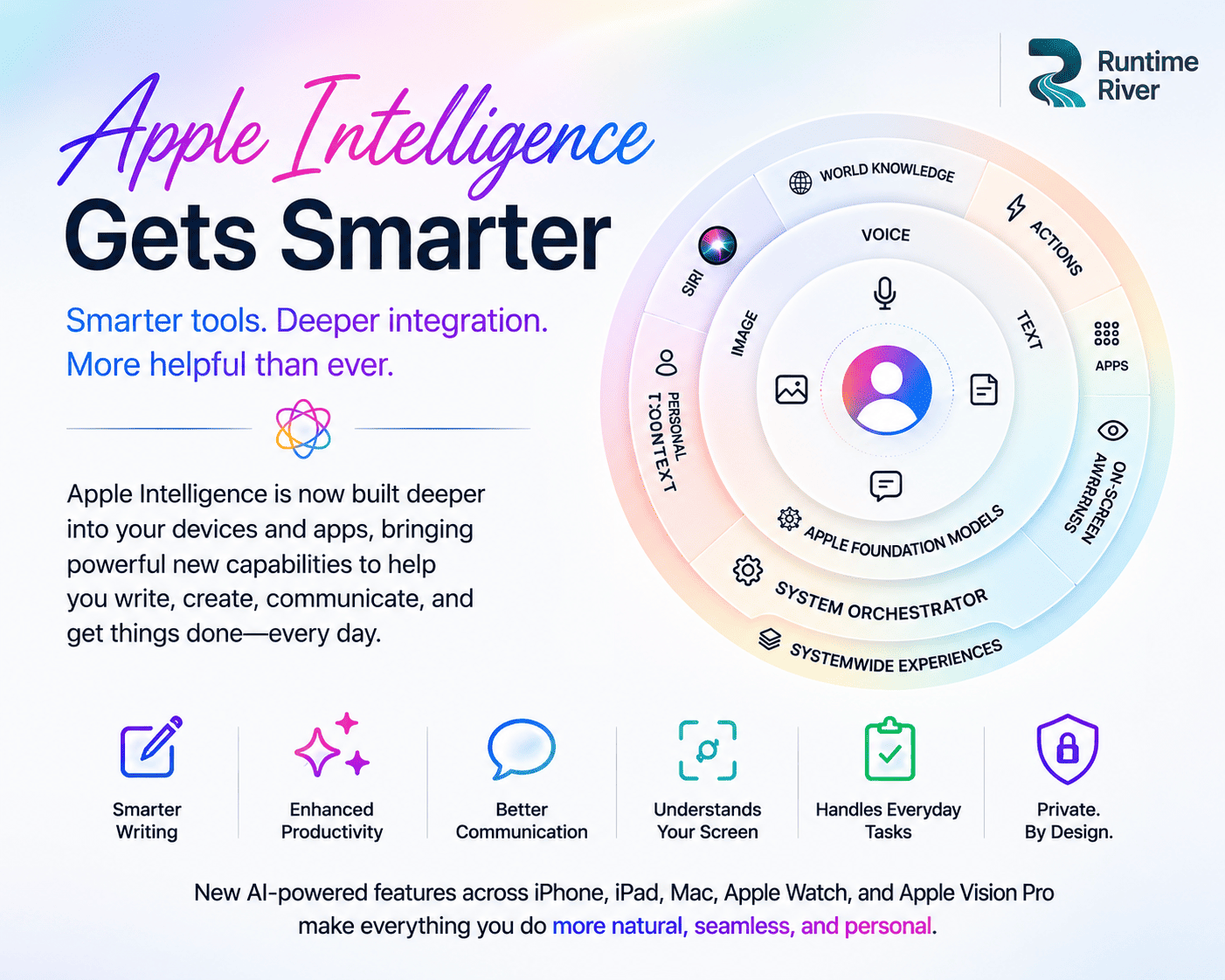
New Apple Intelligence features coming across the OS this fall include:
Image Playground - Now generates high-quality photorealistic images, not just illustrated styles. You describe what you want, and Apple Intelligence creates it.
Messages - One-tap AI suggestions appear within conversations to help you take action instantly. See a message about packing a sweater? Siri suggests creating a reminder right there.
Mail - A completely rebuilt ranking system surfaces the most relevant emails in Top Hits, and AI suggestions help you take action on emails without leaving the app.
Calendar and Shortcuts - Create calendar events and automation shortcuts using plain natural language. No more navigating complex menus.
Writing Tools - Advanced AI writing assistance is available throughout the OS for summarizing, rewriting, and proofreading text across apps.
HomeKit and Home Cameras - Apple Intelligence support is coming to compatible Home cameras, expanding AI smarts to your smart home ecosystem.
Note: Some Apple Intelligence features that rely on powerful server-side models will have daily usage limits. Increased access is available with most iCloud+ subscription plans.
iOS 27 Features
iOS 27 is the update your iPhone has been waiting for. Rather than a visual overhaul, Apple focused on making the iPhone dramatically faster and smarter - and the numbers back that up.
Performance Improvements
Apps launch up to 30% faster (tested on iPhone 11 Pro Max)
Photos load up to 70% faster after being captured
AirDrop transfers are up to 80% faster
Network transitions between Wi-Fi and cellular are more seamless than ever
Search in Spotlight, Photos, and Mail has been rebuilt from the ground up for speed and accuracy
Key iOS 27 Features
Siri AI Integration - The headline feature of iOS 27. The standalone Siri app, on-screen awareness, personal context understanding, and Camera integration all debut here.
Liquid Glass Customization - A new slider in Settings lets you adjust Liquid Glass opacity from ultra-clear to fully tinted. Apple heard the criticism about last year's divisive design - this is their response.
iCloud Shared Albums - Full-resolution photo sharing in shared albums is finally here, with cross-platform support for Android and Windows users too.
Messages Suggestions - Smart, one-tap action suggestions appear contextually in conversations. Create reminders, notes, or calendar events with a single tap.
Health App Updates - Cycle Tracking now includes support for perimenopause and menopause, with intelligent notifications about cycle deviations.
App Icons Refresh - Sharper, more defined app icons across the board.
iOS 27 Compatibility
iOS 27 supports every iPhone that currently runs iOS 26, starting from the iPhone 11 and newer. Apple confirmed this is one of the most widely compatible iOS releases in history - no devices are being cut.
However, full Siri AI features require at minimum an iPhone 15 Pro or newer with an A17 Pro chip and at least 8GB of RAM. Older supported iPhones will receive performance improvements and many other iOS 27 features, but not the complete Siri AI experience.
macOS Golden Gate Features
Apple's next Mac operating system is called macOS Golden Gate (macOS 27), named after the iconic strait near San Francisco. It's a fitting name for a release that bridges Apple's design past with its AI future.
Design Updates
macOS Golden Gate makes meaningful changes to how the Mac looks and feels:
More uniform toolbar across all apps - a long-requested fix
Edge-to-edge sidebars that minimize visual clutter
Colored sidebar icons - a fan-favorite feature that's making a comeback
Tighter window corner radius for a more polished look
Sharper app icons across the system
The overall direction is clear: Apple is pulling back some of the more polarizing Liquid Glass elements from macOS 26 and restoring design elements that Mac users have always loved.
Performance on Mac
File browsing and transfers between external drives and iPad are now up to 5x faster, matching Finder speeds on Mac. Spotlight search, Mail, and Photos all benefit from the rebuilt search infrastructure.
Siri AI on Mac
Siri AI comes to macOS Golden Gate with the same capabilities as iOS 27 - on-screen awareness, personal context, app actions, web knowledge, and a dedicated Siri app.
Advanced Siri AI features on Mac require M3 chip with at least 12GB of unified memory or later.
End of Intel Mac Support
macOS Golden Gate drops support for Intel-based Macs entirely. This is the end of the road for Intel Mac support, including Rosetta 2. Only Apple silicon Macs (M1 and later) will run macOS 27.
Photos App Upgrades
The Photos app is getting one of its most significant AI overhauls ever. Three major new editing tools are coming:
Spatial Reframing - Improve the composition of a photo after it's been taken. Apple Intelligence analyzes the scene and helps you reframe shots that were slightly off-center or poorly cropped.
Extend - AI fills in areas beyond the edges of a photo to expand the frame - similar to generative fill tools in professional editing software.
Cleanup - Remove unwanted objects from photos using Apple Intelligence, without needing a third-party app.
iCloud Shared Albums - Full-resolution photo sharing in shared albums with cross-platform (Android, Windows) support is a major addition for families and friend groups who share memories across different devices.
Improved Search - The search infrastructure in Photos has been rebuilt to find images faster and more accurately, including recognizing people, subjects, and locations within your personal photo library.
Safari AI Features
Safari gets a meaningful AI upgrade that makes heavy browsing sessions far more manageable:
Intelligent Tab Organization - Safari can automatically analyze the content across your open tabs and group them into topics. If you have 30 tabs open during research, Safari organizes them into categories automatically - no manual dragging required.
Notify Me - This is a standout new feature. You can ask Safari to monitor any webpage for changes - a product restock, a price drop, a new article from a specific publication - and it will send you an alert when something changes. Think of it as a personal web watchdog built directly into your browser.
AI-Generated Extensions (Experimental) - Apple is testing the ability to describe the browser extension you want in plain language, and Safari attempts to build it for you. This is in early experimental stages but signals an interesting direction for browser customization.
Rebuilt Search Foundation - The underlying search technology across Spotlight, Mail, and Safari has been rebuilt, making results faster, more relevant, and better at surfacing exactly what you're looking for.
New Parental Controls
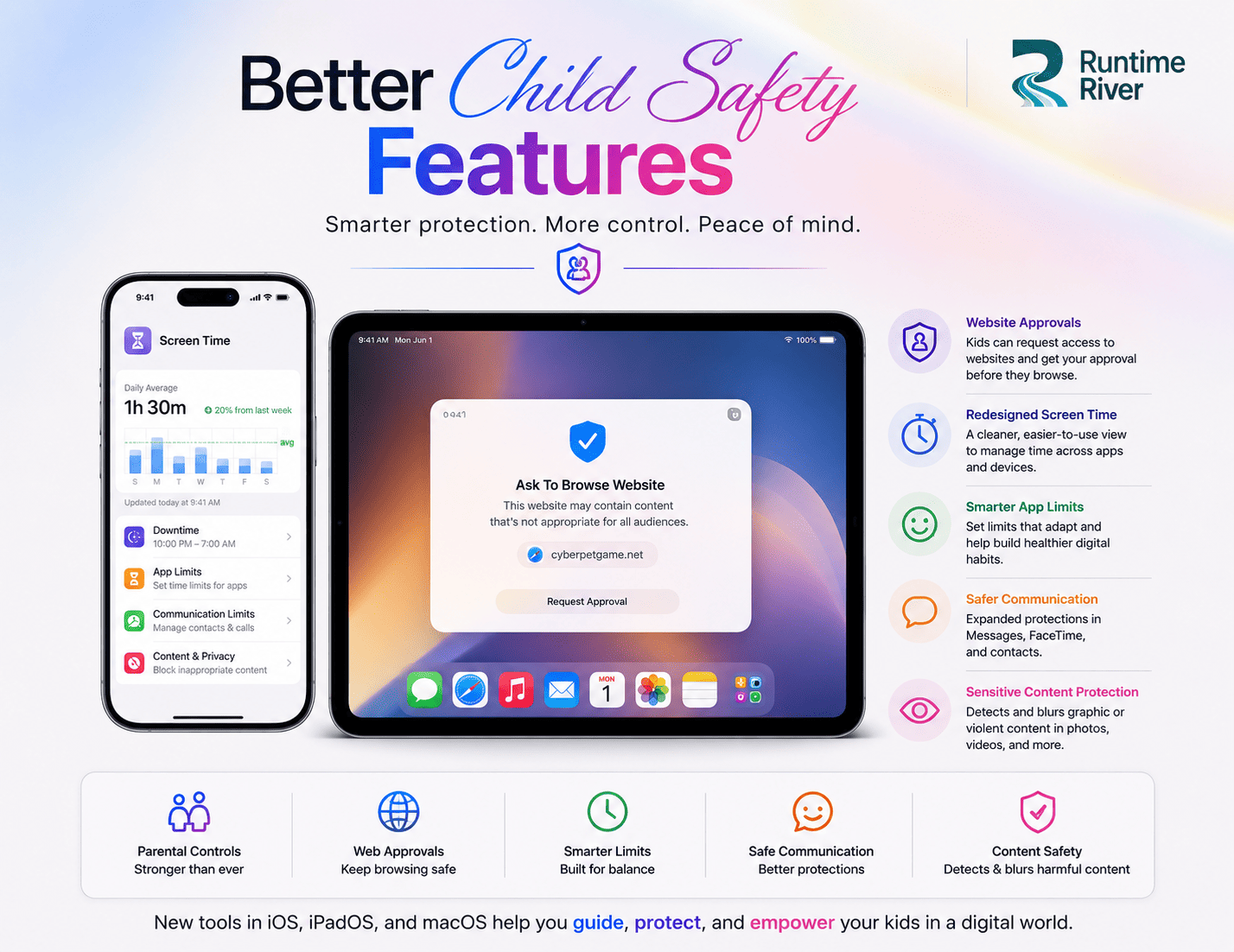
Apple devoted significant keynote time to parental controls - a reflection of growing global regulatory pressure on tech companies around child safety. The new tools are genuinely comprehensive.
Child Accounts
Parents can now set up a Child Account for their kids. These accounts are mandatory for children under 13 and can optionally remain active until age 18. Once set up, the child account immediately activates age-appropriate protections across the entire system.
Setup Assistant lets parents choose exactly which pre-installed apps a child can access from day one, with full control over what gets added later.
Communication Safety
Parents can now require approval for every new contact their child connects with. Communication Safety, which already blurs nudity in Messages and FaceTime, now also automatically intervenes to block gore and violent content in shared images and videos.
Screen Time Overhaul
Screen Time has been redesigned from scratch to be more intuitive for parents:
Time Allowances - Set daily time limits specifically for Entertainment, Games, and Social Media app categories - the three parents care most about
Daily Schedules - Control which apps are available at different points of the day (e.g., no social media during school hours)
At-a-Glance Dashboard - See your child's average daily usage and top apps in one clean view
Expert Guidance - Recommended daily time allowances are informed by leading clinical and child development experts
Ask to Browse - Kids need to request parental permission before accessing any new website in Safari, working seamlessly across iPhone, iPad, and Mac.
Apple also launched a dedicated child safety website at apple.com/child-safety with tools, resources, and guides for parents.
Apple Watch for Kids
Parents now have a new way to set up an Apple Watch for children who don't yet have their own iPhone - expanding the ecosystem's reach to younger users safely.
Liquid Glass Improvements
Liquid Glass - Apple's bold, translucent design language introduced in iOS 26 - received a significant response to user feedback at WWDC 2026.
The biggest change: a new opacity slider in Settings lets every user decide exactly how transparent or tinted they want Liquid Glass to appear. You can dial it all the way to fully opaque if you prefer solid backgrounds, or keep it ultra-clear if you love the glass effect.
Apple also refreshed app icons across the board - sharper edges, more defined shapes, and better readability at all sizes.
On macOS Golden Gate specifically, Apple brought back design staples that Mac users have always loved: uniform toolbars, edge-to-edge sidebars, and colored sidebar icons - restoring some of the visual identity that felt diluted in the Liquid Glass transition.
Device Compatibility
iOS 27 / Apple Intelligence
Feature | Minimum Device |
iOS 27 (base update) | iPhone 11 and newer |
Apple Intelligence | iPhone 16 or later, iPhone 15 Pro/Pro Max |
Siri AI (full features) | iPhone 15 Pro or newer (A17 Pro, 8GB RAM+) |
iPadOS 27
All iPad models with M1 chip or later
iPad mini (A17 Pro)
macOS 27 Golden Gate
All Apple silicon Macs (M1 or later)
Intel Macs: not supported
Full Siri AI features: M3 with 12GB unified memory or later
watchOS 27
Apple Watch Series 9, Series 10, Series 11
Apple Watch Ultra 2, Ultra 3
Apple Watch SE 3 (when paired with an Apple Intelligence-enabled iPhone)
Dropped: Several older Apple Watch models currently running watchOS 26, including some Ultra and SE models
visionOS 27
Apple Vision Pro (all models)
Siri AI available in EU for Vision Pro users
Release Dates
Here's the complete timeline for when you can expect WWDC 2026 software:
Milestone | Date |
Developer Beta 1 | June 8, 2026 (available now) |
Public Beta | July 2026 |
Final Release (iOS 27, macOS Golden Gate, etc.) | September 2026 (expected) |
Siri AI Public Beta (English) | Later in 2026 |
Developers can access the beta today through the Apple Developer Program at developer.apple.com. The public beta will open next month at beta.apple.com.
The final public release of iOS 27, macOS Golden Gate, iPadOS 27, watchOS 27, and visionOS 27 is expected in mid-September 2026, likely alongside the annual iPhone hardware event.
What WWDC 2026 Means for Apple Users
Apple is Serious About AI - Finally
Two years after its first Apple Intelligence rollout disappointed many users and frustrated developers, Apple showed up at WWDC 2026 with something that feels genuinely capable. Siri AI, powered in part by Google Gemini, is a meaningful leap. The on-screen awareness, personal context understanding, and standalone app format put Siri on competitive footing with Google Assistant and ChatGPT for the first time.
The Google Partnership Is a Statement
Apple partnering with Google for Siri AI's underlying models is one of the most surprising moves in the company's history. It signals Apple is willing to prioritize user experience over pride - and that catching up in AI is mission-critical even if it means relying on a competitor's technology.
iPhone 11 Users Get a Lifeline
iOS 27 supporting all devices from iPhone 11 onward is a genuine goodwill gesture from Apple. No cuts despite adding AI functionality is impressive engineering, and it means fewer users will feel pressured to upgrade immediately.
Tim Cook's Graceful Exit
This was Cook's final WWDC as CEO. His closing remarks were understated and sincere - reflecting on the privilege of sharing tools with developers and seeing what the world creates. John Ternus, a hardware-first executive, takes over September 1. How that changes Apple's priorities - and whether WWDC 2027 leans heavier into device innovation - will be fascinating to watch.
The EU Situation Is Getting Complicated
Siri AI not launching on iOS and iPadOS in the EU due to the Digital Markets Act is a significant story. Apple has repeatedly clashed with EU regulators, and the DMA continues to create a two-tier Apple experience for European users. This is unlikely to be the last WWDC where EU availability is a notable asterisk.
Conclusion
WWDC 2026 was Apple's most consequential software event in at least three years. The star of the show was Siri AI - a full ground-up rebuild that finally puts Apple's assistant in the same conversation as its rivals. But beyond Siri, the improvements to iOS 27 and macOS Golden Gate feel meaningful: faster, cleaner, smarter, and more thoughtful about what users actually complained about.
The parental controls overhaul is long overdue and genuinely thorough. The Photos editing tools are impressive. Safari's Notify Me feature is quietly one of the most useful additions announced. And the Liquid Glass opacity slider? A small thing that will make a lot of people happy.
Apple isn't just catching up in AI - it's starting to sprint. Whether it can close the gap with Google and OpenAI before iOS 27 ships in September remains to be seen. But after a difficult two years in the AI race, WWDC 2026 at least proves Apple is back in it.
